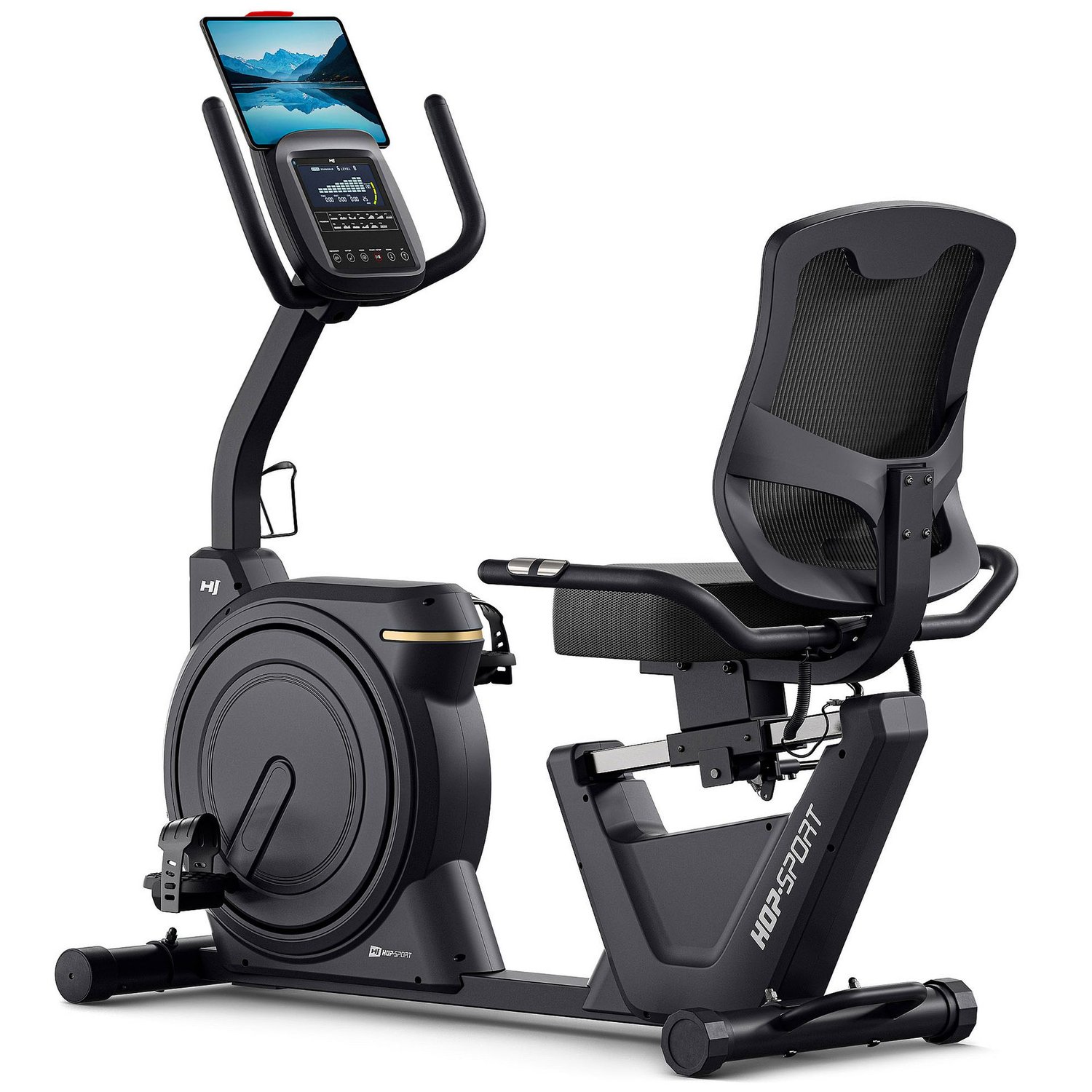
The HOP-SPORT HS-5000L Ranker is a Bluetooth recumbent bike that can work with QZ as an FTMS Bike and then feed MyWhoosh through QZ. A recent real-world support case confirmed the QZ connection and the MyWhoosh workflow.

Table of Contents
What the HS-5000L Ranker is
HOP-SPORT identifies the machine as the HS-5000L Ranker, a recumbent exercise bike with an electromagnetic resistance system, Bluetooth, RPM, speed, distance, time, calories and pulse information. The product page lists 32 resistance levels and compatibility with the manufacturer’s Zwift and Kinomap workflows. The owner’s manual also identifies the model as HS-5000L Ranker. These are manufacturer specifications; the QZ and MyWhoosh result below comes from a separate real-world support test.
The QZ device path
QZ uses its existing FTMS Bike implementation for this model. Public QZ change PR #5192 adds the HS-5000L Bluetooth name to the FTMS-bike discovery path and keeps the model-specific FTMS service handling in the concrete FTMS driver. The change is merged into the public QZ master branch, so use a QZ build that contains PR #5192 or a later equivalent build.
| Area | Confirmed result |
|---|---|
| Equipment | HOP-SPORT HS-5000L Ranker recumbent bike. |
| QZ handler | FTMS Bike, with the HS-5000L Bluetooth name routed by the merged QZ detection change. |
| QZ connection | Confirmed in a real-world support exchange. |
| MyWhoosh | Confirmed working in the same setup through the QZ virtual-bike workflow. |
| Resistance | The manufacturer specifies an electromagnetic resistance system with 32 resistance levels. |
Recommended setup
- Install or update to a QZ build that contains merged PR #5192. If you use a packaged release, check its release notes or build date rather than assuming that every older package includes the new detector.
- Power on the HS-5000L Ranker and keep the bike close enough for a stable Bluetooth connection.
- Start QZ and wait for the bike to appear as an FTMS Bike. The current merged path recognizes the
HS-5000Ldevice name directly; you should not need to misidentify it as another commercial model. - Confirm that QZ is receiving live bike data before opening MyWhoosh.
- In MyWhoosh, pair the virtual bike/trainer exposed by QZ. Avoid having MyWhoosh and another application compete for the physical Bluetooth connection.
- Begin with a short ride and check cadence/RPM, speed, power or other visible metrics, and the resistance response separately.
What the field result means
The important result is a complete connection workflow: the HS-5000L was detected through QZ, QZ was usable, and MyWhoosh worked with the QZ setup. Treat the HS-5000L as a confirmed QZ/MyWhoosh connection case.
QZ as the bridge
QZ can read a supported physical bike and expose a compatible virtual device to training applications. Depending on the platform and the selected QZ workflow, the broader bridge supports virtual-device connections, workout recording, FIT export to Garmin Connect, Apple Health/HealthKit, Google Health Connect, Strava, MQTT and Open Sound Control. Those are QZ bridge capabilities; the device-specific confirmation in this article is the HS-5000L FTMS connection and the MyWhoosh workflow described above.
Subscription boundary
QZ does not remove paid plans or content from MyWhoosh, Zwift, Kinomap, Garmin, Strava or any other third-party service. A successful QZ connection is a device-bridge result, not a promise of free access to another provider’s paid features.
Quick checklist
- Use the HS-5000L Ranker model and a QZ build containing PR #5192.
- Let QZ discover the bike as an FTMS Bike before opening MyWhoosh.
- Pair MyWhoosh with the QZ virtual bike, not with a competing direct connection.
- Verify the live metrics on your own unit.
- Use the manufacturer’s documented resistance levels as the starting point for your own training setup.
If something does not work as expected, send an email to Roberto.viola83@gmail.com and Roberto will help you check the setup.